
BandUp
Guitar Tuner

Guitar Tuner

Tune your guitar by microphone and match your band's pitch in seconds. A chromatic tuner — it names the note you play as it is, so it works in any tuning.

—

Allow the microphone and play a string to start tuning.

How to tune a guitar

An online guitar tuner listens to your guitar through the microphone and reads each string in real time: it names the note, shows how far off you are in cents and tells you whether the string is flat, in tune or sharp. Allow the microphone, play an open string and turn the peg slowly until the needle settles dead center. It tracks the low E as steadily as the high E, so all six strings land on the same reference.

Because it is chromatic there is no tuning mode to pick: whatever tuning you play in, it names the note it hears as it is. Standard, drop D and open tunings all work the same way — find the note your string should reach in the table below, then turn the peg slowly until the needle settles on it. On your phone in the rehearsal room or a laptop at home; tuning up before you play is the shortest path to a tight band.

String notes and frequencies

The tuner is chromatic — find your target note here, then turn the peg until the needle centres on it. Frequencies are given against A4 = 440 Hz.

Standard tuning

StringNoteFrequency
1E282.41 Hz
2A2110.00 Hz
3D3146.83 Hz
4G3196.00 Hz
5B3246.94 Hz
6E4329.63 Hz

Drop D

StringNoteFrequency
1D273.42 Hz
2A2110.00 Hz
3D3146.83 Hz
4G3196.00 Hz
5B3246.94 Hz
6E4329.63 Hz

Frequently asked questions

The tuner can't hear my microphone. What should I do?
Your browser needs to grant permission first. Click the padlock icon at the left of the address bar, set "Microphone" to "Allow" and reload the page. If the needle still doesn't move: make sure the right microphone is selected and that its input volume isn't muted. Background noise throws the reading off too, so try a quiet room. On an acoustic guitar bring the sound hole close to the mic; on an electric, point it at your amp's speaker.
What does a chromatic tuner mean?
A chromatic tuner doesn't expect a preset tuning: it listens to whatever you play and names the closest note as it is, with the semitone below and above shown alongside. In practice that means it works with any tuning. Standard, drop D, a baritone ukulele or a 5-string bass: all you need is to know the note each string should reach, then turn the peg until the needle centres on it.
Can I tune without granting microphone access?
No. The tuner works out the pitch by analysing sound from your microphone, so it can't read anything without permission. The interface stays available, so you can still use the string table and note reference on this page. The permission applies only to this tab, and no audio is sent anywhere or stored: the whole analysis happens inside your browser.
What notes are guitar strings tuned to?
In standard tuning the six strings run, thickest to thinnest: E2 (82.41 Hz), A2 (110.00 Hz), D3 (146.83 Hz), G3 (196.00 Hz), B3 (246.94 Hz), E4 (329.63 Hz). The thickest and thinnest strings are the same note, two octaves apart. Work from the thickest down; because tightening one string changes the tension on the others, going round a second time is what really settles the tuning.
How do I get into drop D tuning?
In drop D only the thickest string changes: instead of standard E2 (82.41 Hz) you drop a whole tone to D2 (73.42 Hz). The other five stay standard. Because the tuner is chromatic there's no mode to switch: play the low string, loosen the peg and keep going until the display reads D and the needle centres. A quick check: barring the lowest three strings at the same fret should give a clean power chord.
What's the difference between tuning and a chord?
Two things that are easy to mix up. Tuning is bringing each string to the right pitch so the instrument is ready to play; that's what the tool on this page does. A chord is several notes sounded together (C major, A minor and so on). So you tune first, then you play chords. If the tuning is off, the chord won't sound right either. For chord shapes, have a look at the Guitar Chords tool.
bandup.io/stage
Repertoire — lyrics and chord editor
Add Songs

Keep every chord at hand

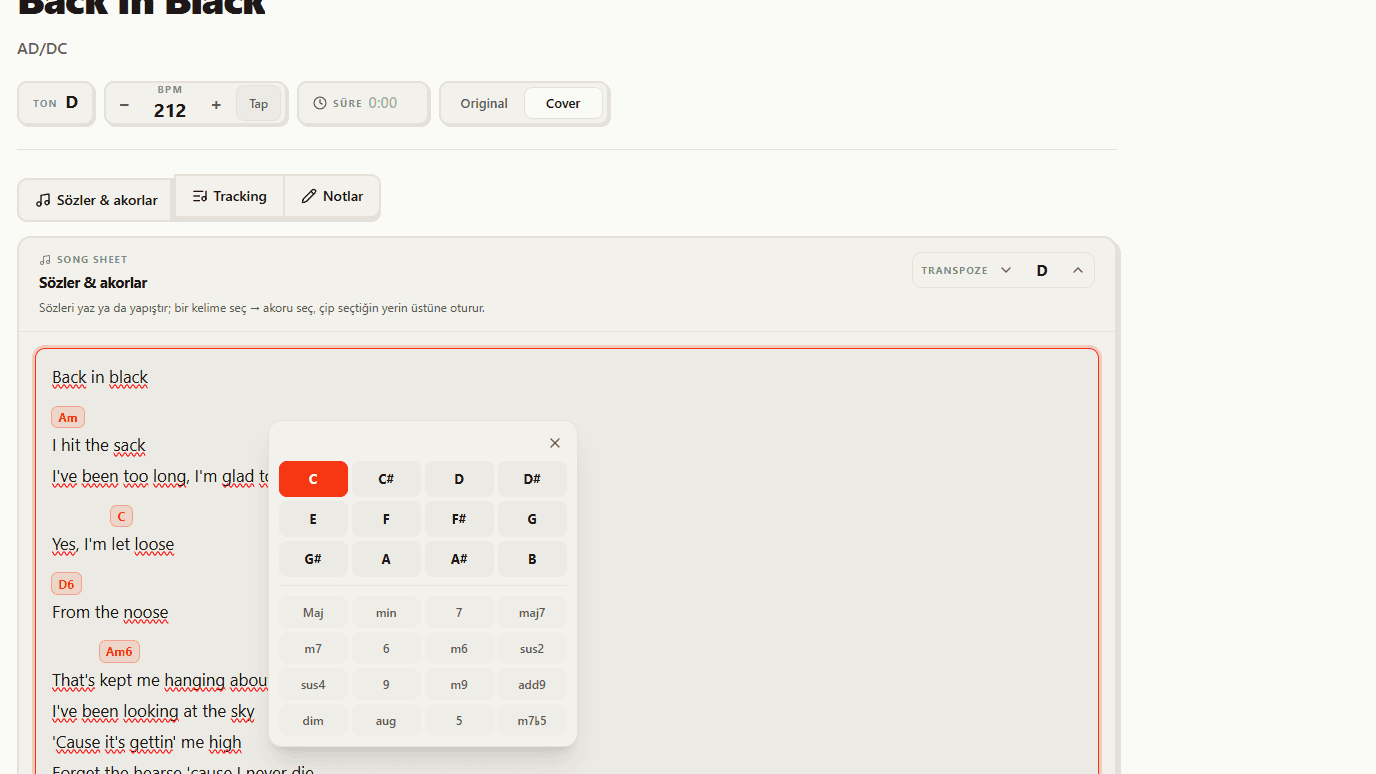
Your guitar is tuned, but what about the chords? In BandUp's repertoire every song keeps its lyrics and chords on one page, so you enter them once and the whole band plays from the same chart instead of asking which shape it was.

See the feature

No one asks what's next.

Set up your band, build your first setlist in two minutes.

Set up your stage