
Don't send 70 texts to book a rehearsal.
Open a poll, everyone marks the times they're free; the slot with the most votes wins. No calling around one by one, no chasing dates.
What is it?
Calendar & Poll is for planning rehearsal and show dates without the back-and-forth. You open candidate days and times as a poll, everyone marks one of three states (Available / Not sure / Unavailable); the slot with the most votes rises to the top.
Once everyone has voted you lock it, and the winning slot lands on the calendar as an event and everyone is notified. Personal availability blocks, recurring events and reminders keep the crew in sync.
What's inside
Date poll
Suggest candidate days and times; find the best one with three-state voting.
Create events
Create show, rehearsal, personal availability and other events in one pop-over; assign a venue (past venues are suggested) and make it recurring.
Attach setlist & songs
Attach a setlist to a show, or a setlist or song list to a rehearsal; a two-way bridge from the calendar to the stage.
Month / Week / Agenda
Track events color-coded by type (Show / Rehearsal / Other) across views.
Personal availability
Members create a personal availability block ('away this week'); show it to the band or mark it busy-only, and the poll warns on clashes.
Reminders
Upcoming rehearsals and shows are reminded automatically.
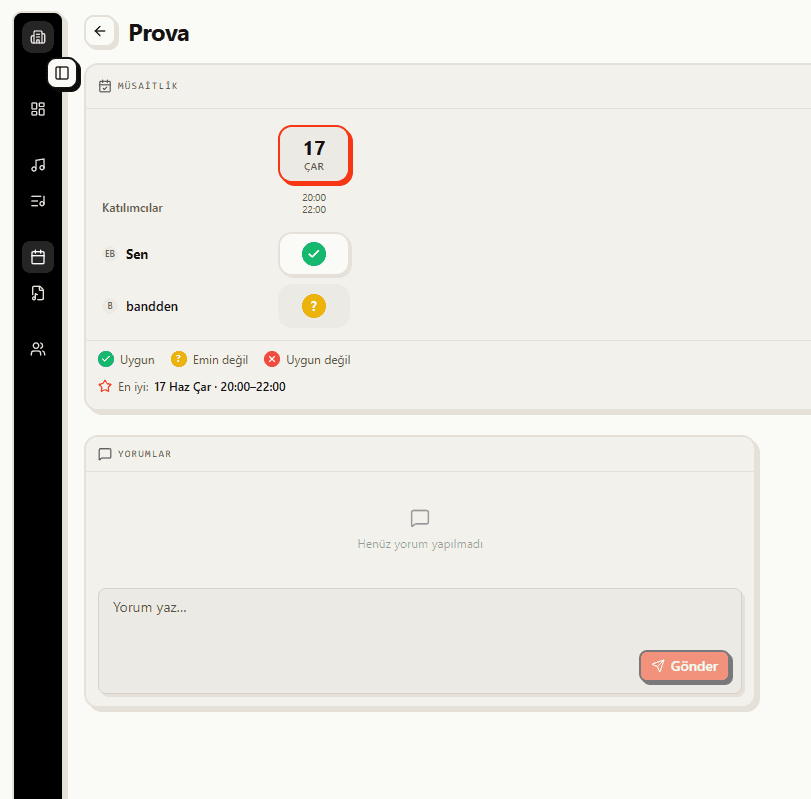
Three-state date poll
Open candidate days and times as a poll; for each slot everyone marks one of three states: Available, Not sure, Unavailable. The slot with the most votes rises to the top on its own, so you never call around one by one.
- Suggest candidate days and times
- Three-state voting: Available / Not sure / Unavailable
- The winning slot rises automatically
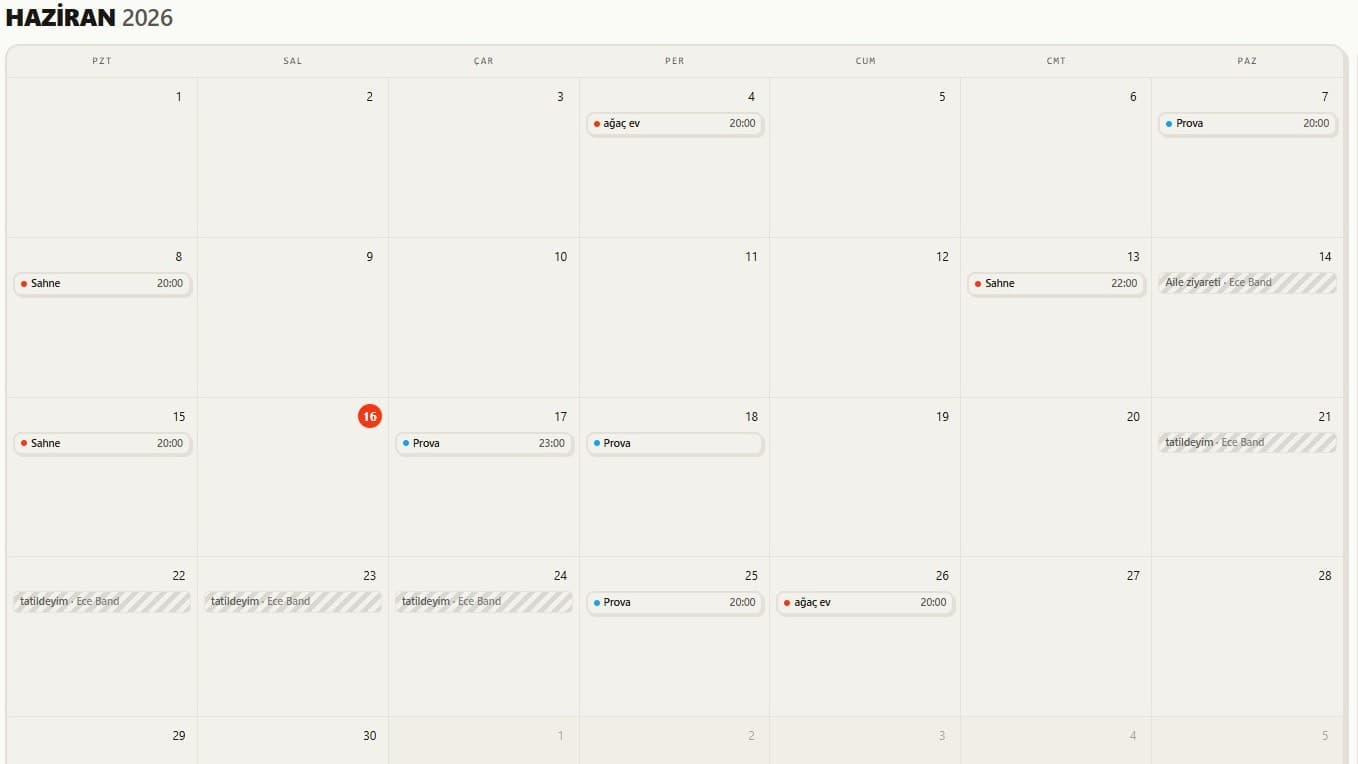
Month, Week and Agenda views
Confirmed rehearsals and shows gather on a shared calendar. Track events color-coded by type (Show / Rehearsal / Other) in Month, Week or Agenda view, and everyone in the band sees the same date.
- Month / Week / Agenda views
- Color-coded by type: Show / Rehearsal / Other
- One shared calendar for the whole band
What you get
Agree by poll
Suggest possible days and times, let the crew vote. The winning slot rises to the top on its own.
Clear on the calendar
Confirmed rehearsals and shows live on a shared calendar; everyone sees the same date.
Reminders
Upcoming rehearsals are reminded automatically; the 'I forgot' excuse is over.
How it works
Open a poll
Leave a few day and time options.
Let the crew vote
Everyone marks their availability with one tap.
Lock the slot
Once everyone has voted, the best time is locked onto the calendar and everyone is notified.