
One link is all the venue needs.
Generate the stage plot and input list automatically from your band data. It stays up to date online; share the link or download a PDF.
What is it?
The Tech Rider is the technical stage document you share with the venue — your band's single, shared document (one per band). The lineup, instruments, stage plot and input list are generated automatically from your band data — no filling out a Word file from scratch.
A share switch opens a public link that needs no login and reads well on mobile. When the lineup changes the rider updates too; the link you shared always shows the latest, and you can download or print a PDF.
What's inside
Auto stage plot
Drag-and-drop stage plot from instruments and an automatic input list.
Always-current link
Change the lineup and the rider changes; the shared link never freezes, it shows the latest.
Link or PDF
Send the venue an online link or download / print a PDF with one tap.
Song list & contact
A song list from the repertoire and the contact info are added to the rider automatically.
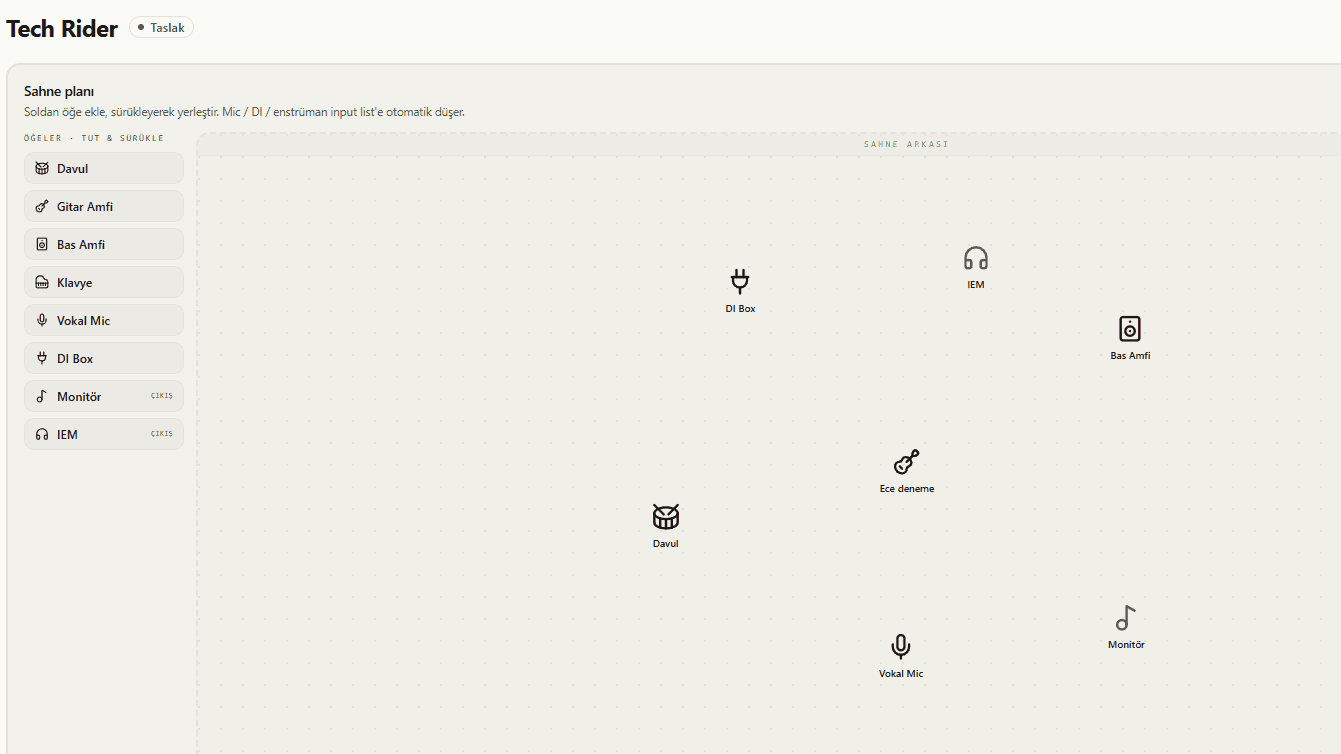
Auto stage plot and input list
A drag-and-drop stage plot is built from the lineup and instruments, and the input list is compiled automatically. You don't fill out a Word file from scratch — the technical document is generated from your band data.
- Drag-and-drop stage plot from instruments
- Mic / DI / instruments drop into the input list automatically
- Lineup and contact come from band members automatically
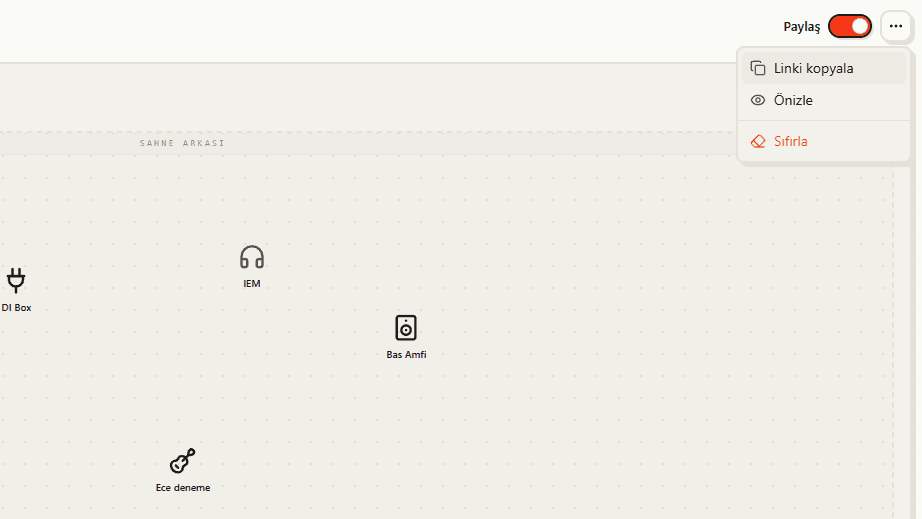
Always-current share link
A share switch opens a public link that needs no login and reads well on mobile. When the lineup changes the rider updates too; the link you shared never freezes and always shows the latest version.
- Public link with no login required
- Reads well on mobile, closed to search engines (noindex)
- Link updates automatically when the lineup changes
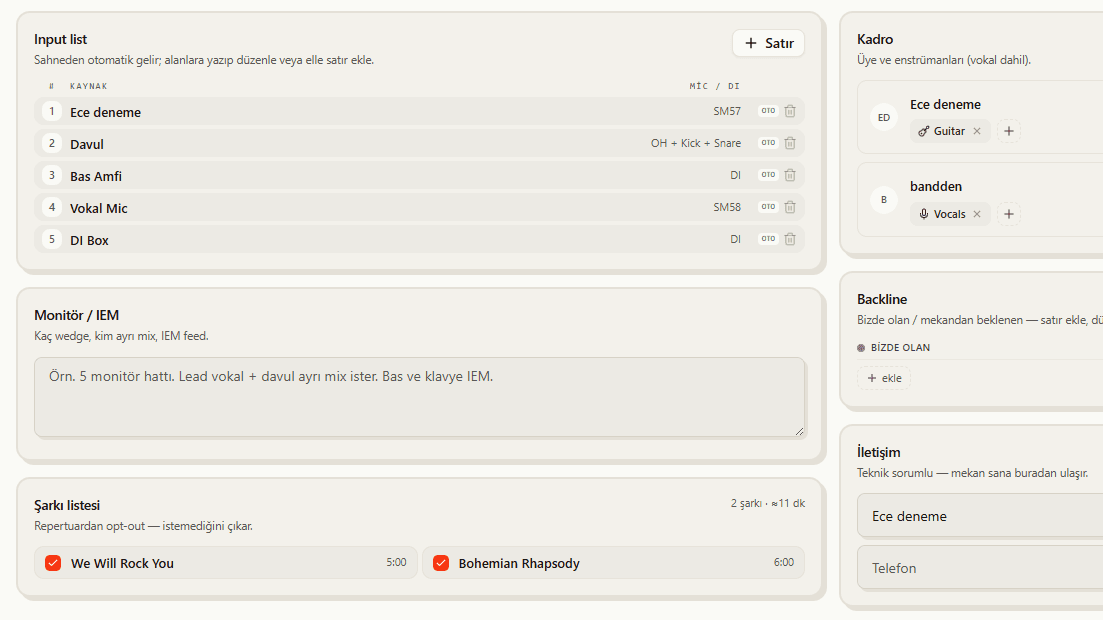
Song list and contact
A song list from the repertoire and the band's contact info are added to the rider automatically; you can drop the song list if you prefer (opt-out). Everything the venue needs is gathered in one document.
- Automatic song list from the repertoire (opt-out)
- Contact info added to the rider
- Everything the venue needs in one document
What you get
Auto-generated
Lineup, stage plot, input list and contact are compiled from your band data — no writing from scratch.
Always current
Change the lineup and the rider changes too; the link you shared always shows the latest.
Link or PDF
Send the venue an online link or download a PDF with one tap.
How it works
Define your band
Enter the lineup, instruments and monitor needs.
Generate the rider
The stage plot and input list are created automatically.
Share it
Send the link to the organizer or download a PDF.