
Every song the band plays, in one library.
Lyrics, chords, key and BPM together; vote ideas in as a group and add them to the repertoire. Everyone looks at the same, current list — no 'I had an old version'.
What is it?
The Repertoire is the single source of truth for every song your band plays or is thinking of playing. Each song's lyrics, chords, key, BPM, duration and type live on one card; no more paper, notes apps and different versions scattered around.
You add new songs as 'Ideas' first and vote them into the repertoire as a group. In the lyrics & chords editor you place chords above the words and transpose in one move; archive keeps old songs off the list without deleting them.
What's inside
Lyrics & chords editor
Type lyrics or paste from Word; place a chord above a word, change it or remove it.
Transpose in one move
Shift the song's key and all chords together. With personal transpose everyone sees it for their own instrument.
Idea voting
Let the group vote like/dislike on new songs; once everyone votes, a majority adds it to the repertoire or drops it.
Personal & group notes
Your personal notes and stage setup stay private; general notes, reference links and PDF/Word scores are shared with the whole band.
Key, BPM & duration on one card
Pick the key, enter BPM by hand or by Tap, add the duration and type — the song's specs on one card.
Autosave & undo
Every edit is saved instantly; undo the last step with Ctrl+Z if something's off.
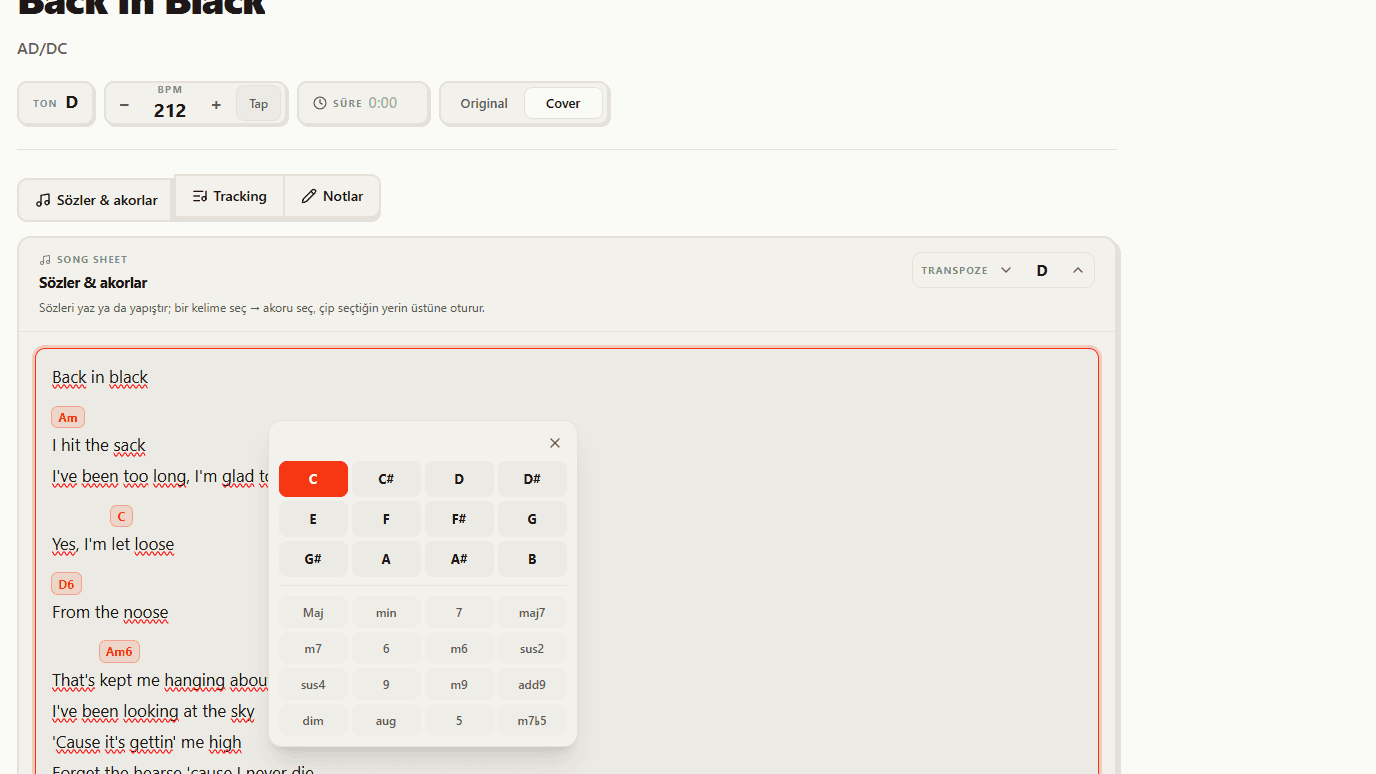
Lyrics and chords editor
Type the lyrics directly or paste from Word; then select a word and place the chord right above it. Change or remove chords whenever you want, and the page always stays clean and aligned.
- Type lyrics or paste from Word
- Place a chord above the word, change it, remove it
- The same aligned view as Stage Mode
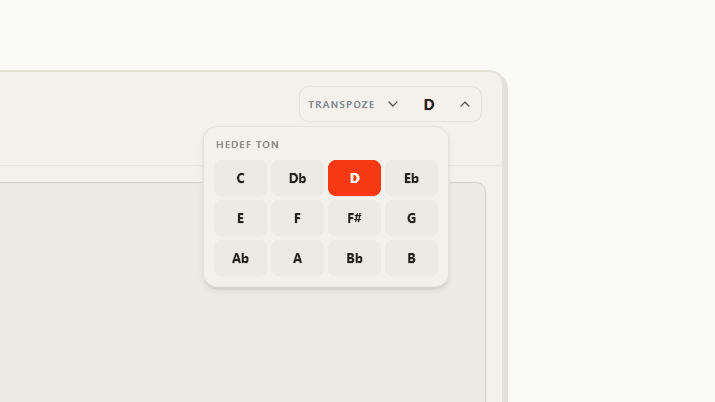
Transpose in one move
Shift the song's key and all its chords together in one move. With personal transpose each member sees the chords for their own instrument only on their screen; the preference persists on their account and applies to all songs, while the song's saved key and the band's data stay intact.
- Key and all chords shift together
- Personal transpose only on your screen
- Saved key and band data are preserved
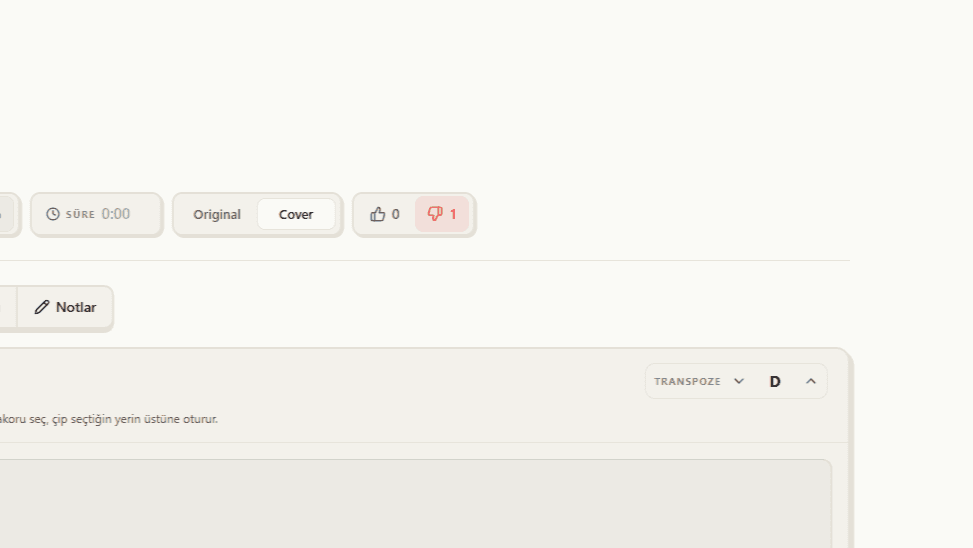
Idea voting
Add a new song as an 'Idea' first; members vote like or dislike. Once everyone has voted, a majority like adds it to the repertoire in one tap, a majority dislike drops it; on a tie you decide. Songs at the idea stage don't appear in the repertoire or the setlist pool, so the flow stays clean.
- Add a new song as an 'Idea'
- After everyone votes, it's added to the repertoire or dropped
- Ideas don't clutter the setlist pool
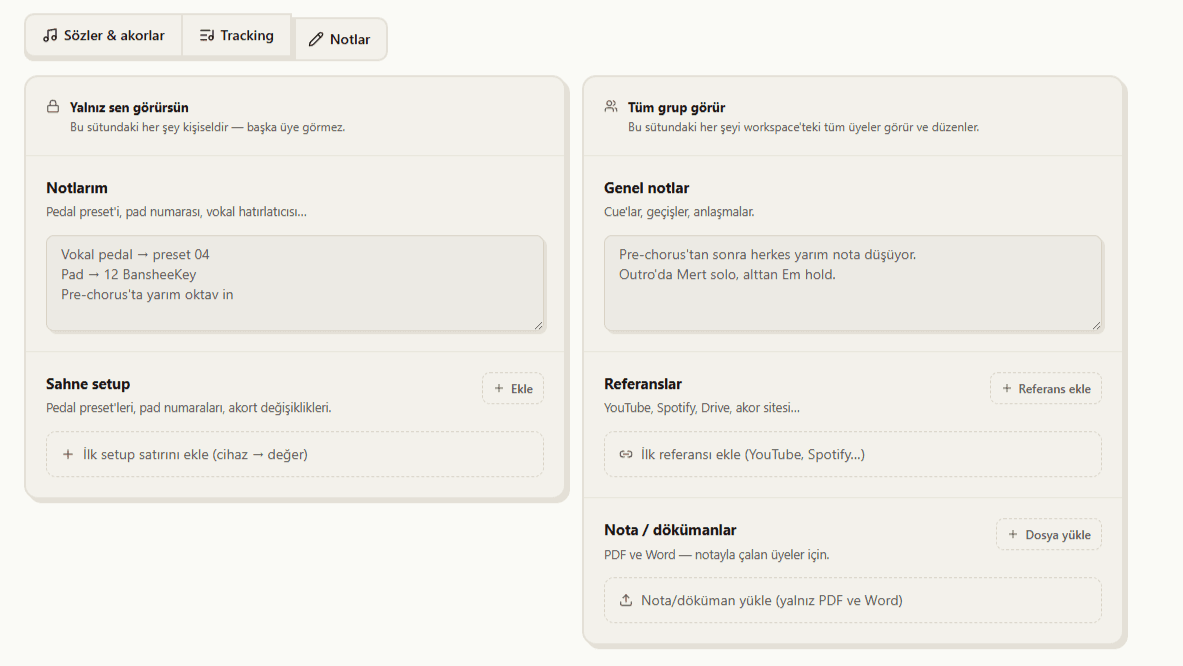
Personal and group notes
Every song has two separate note areas. In the 'Only you can see' column your personal notes and stage setup (pedal preset, pad number, tuning) are visible only to you. In the 'The whole band sees' column general notes, reference links (YouTube, Spotify, Drive) and scores/documents (PDF, Word) are shared with the whole team.
- Personal notes and stage setup stay private to you
- General notes, cues and transitions are shared with the band
- Reference links and PDF/Word score files in one place
What you get
Single source of truth
Everyone looks at the same, current repertoire; version chaos is over.
From idea to stage
Song idea → vote → repertoire → setlist; one flow, no tool switching.
New member ready instantly
A musician who joins by invite gets instant access to every song, lyric and chord.
How it works
Add a song
Type its name, add it to the repertoire; or leave it as an idea to vote on.
Fill the details
Set key, BPM, duration, lyrics and chords; transpose if needed.
Move it to a setlist
Drag from the repertoire into the setlist pool and get stage-ready.