
Everyone on stage, same metronome.
The whole setlist full-screen with one tap: lyrics, chords, order and tempo right in front of you. Follow a bandmate and your screen flows with theirs. Hands free, everyone on the same page.
What is it?
Stage Mode is BandUp's stage companion: it turns a setlist into a dark, full-screen performance view with one tap. No sidebar, no notifications — just the next song, its lyrics and chords in large type you can read at a glance.
Its real power is band sync: you turn on follow mode and follow any member you like on stage, and as they move through the song, section and order, your screen live-mirrors the same spot — the whole band stays on the same page without touching a phone. With auto-scroll, a visual metronome, and personal and live transpose, everyone reads it for their own instrument and their own eyes; the screen stays awake, and even if the internet drops the setlist is ready on the device.
What's inside
Lyrics & chords on one page
Chords sit right above the word, aligned with section labels; you never miss the jump to the chorus.
Follow mode — live sync
Follow any band member you like; when they change song, section or order, your screen goes with them instantly.
Auto-scroll & metronome
Auto-scroll computed from song length and a visual metronome anyone can turn on for songs with a BPM — hands free.
Personal & live transpose
Shift the chords a half step: live transpose reflects to everyone (temporary, not saved), personal transpose stays only on your screen.
Readability your way
Text size, high contrast, dark/light theme; each member sets up their own view.
Screen awake & offline
The screen won't sleep on stage; the setlist is ready on the device, so no hunting for signal.
Live setlist editing on stage
While on stage, drag to reorder, tap-add from the repertoire, swipe to remove — changes autosave and reflect to everyone.
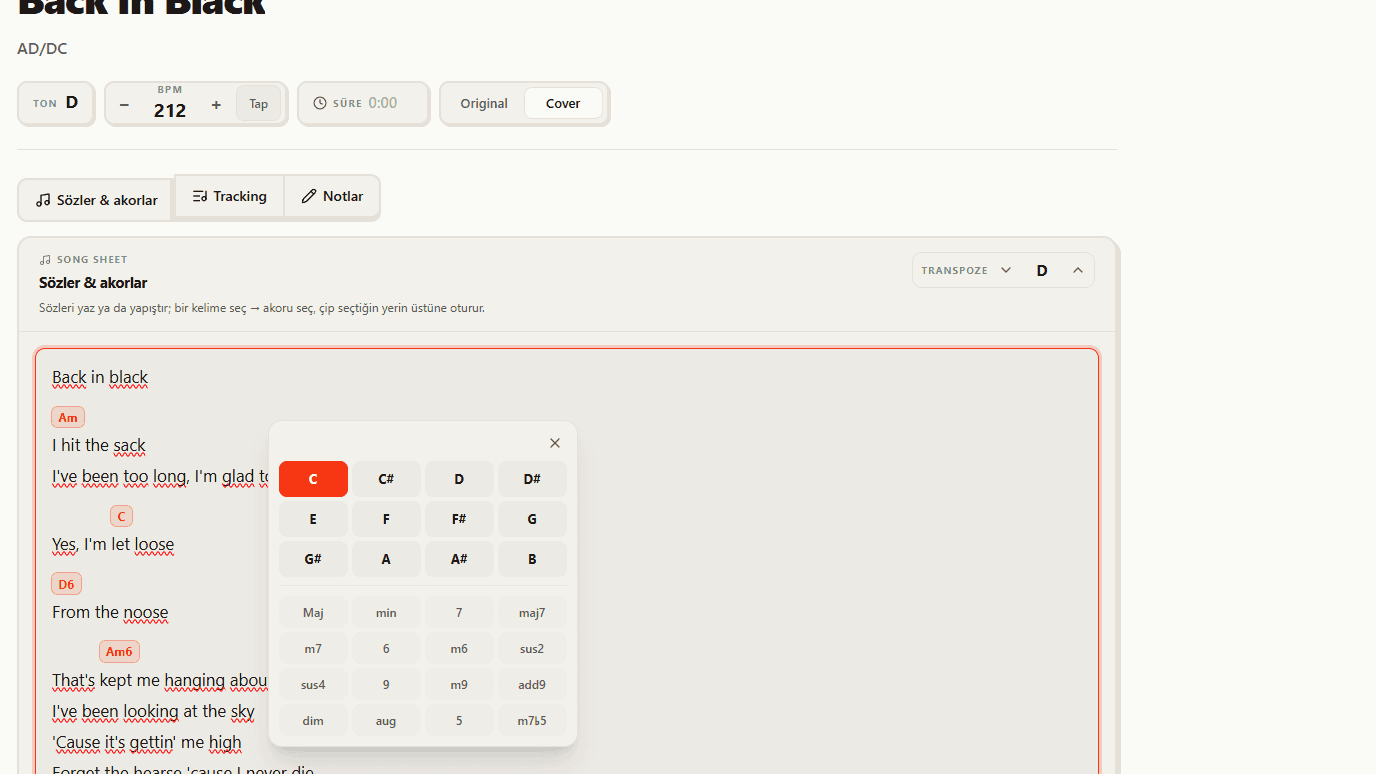
Lyrics and chords on one page
Chords sit right above the word they belong to, aligned with section labels (Verse, Chorus, Bridge). Large, high-contrast type reads at a glance, so you never miss the jump to the chorus or bridge.
- Chords aligned exactly above the word
- Section labels show the song's structure at a glance
- Large, clear typography built for the stage
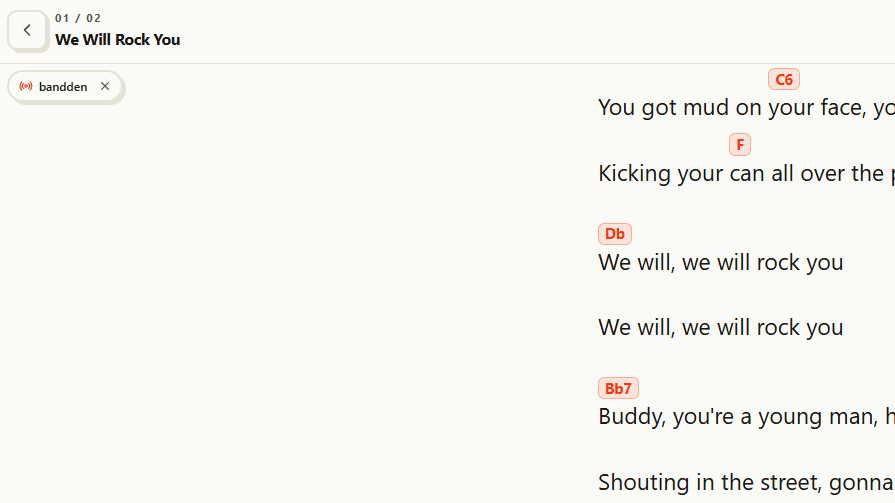
Follow mode — follow any member
You turn on follow mode and follow any member on stage — there's no fixed 'leader'. As the member you pick moves through the song, section or order, your screen live-mirrors the same spot; the whole band stays on the same page without touching a phone.
- Follow the vocalist, guitarist or any member you like
- Song / section / order changes mirror instantly
- Navigating manually pauses it; 'Back to member' resumes
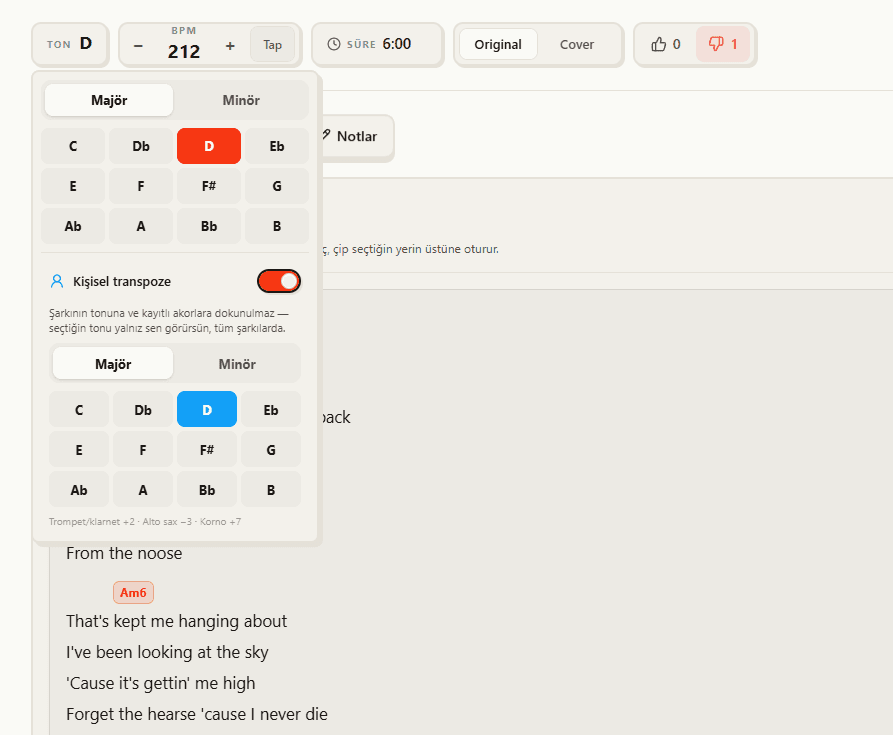
Personal and live transpose
Shifting the chords a half step is one tap. Live transpose reflects to the whole band but is temporary — it isn't saved to the song and reverts to the original key when the session ends. Personal transpose stays only on your screen, so a horn player or someone in a different tuning reads in their own key without changing the song's data.
- Live transpose: reflects to everyone, temporary (not saved)
- Personal transpose: only on your screen
- The song's saved key and band data stay intact
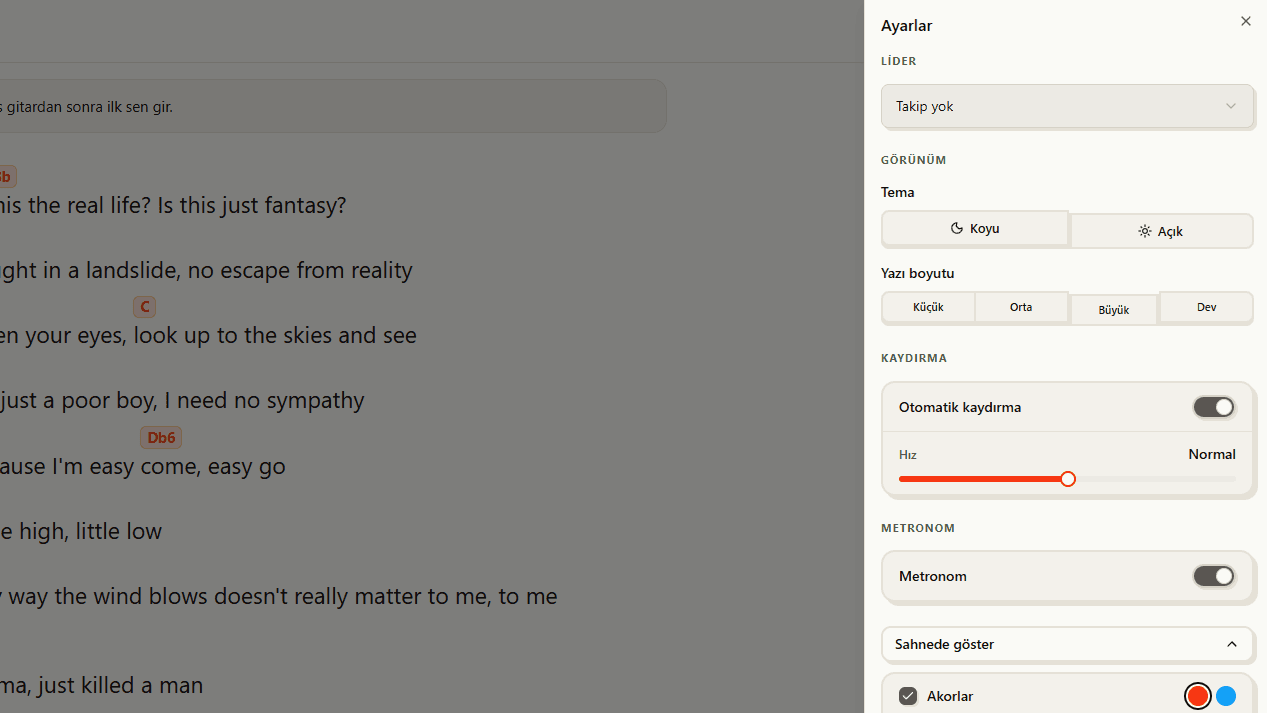
The stage settings are yours
From Stage Mode's settings drawer you set up the look and content entirely your way: dark/light theme, four text-size steps, bold text and reduced motion. Show or hide lyrics or chords, pick the chord color, and keep your personal setup list and notes on screen. Every setting is per device — it never changes anyone else's view.
- Appearance: dark/light theme, 4 text sizes, bold text, reduced motion
- Content: show/hide lyrics & chords, chord color (orange/blue)
- Personal setup list and notes — only on your screen
What you get
Hands free
Stay on the right lyric and chord without touching the phone. You focus on playing, the member you follow drives the flow.
The whole band in sync
Even if someone changes the order, no one trades 'where are we?' looks; everyone's screen updates at once.
Everyone in their own key
A horn player shifts the chords only on their screen; the song's key and the band's data stay intact.
How it works
Go to stage
Take a setlist into full-screen Stage Mode with one tap.
Follow a member
Turn on follow mode and pick the member driving the flow; your screen stays in sync with them.
Just play
Lyrics, chords and order in front of you; auto-scroll handles the rest.