BandUp
Violin Tuner

Violin Tuner

Tune your violin's G-D-A-E strings by microphone and keep your fifths clean. No install, no account, free in your browser.

—

Allow the microphone and play a string to start tuning.

How the violin tuner works

An online violin tuner reads the pitch of a string, bowed or plucked, through the microphone and shows how far it sits from the target note in cents. It tracks the high E as steadily as the low G, so all four strings tune with confidence. Allow the microphone, play a string and turn the fine tuner or the peg until the needle centers.

A violin is tuned in fifths (G D A E); when each string forms a clean fifth with the one before it, the instrument rings in balance. Use the fine tuners for small adjustments and the pegs for bigger moves; before a rehearsal this balance brings the strings onto one shared reference.

String notes and frequencies

The tuner is chromatic — find your target note here, then turn the peg until the needle centres on it. Frequencies are given against A4 = 440 Hz.

Standard tuning

StringNoteFrequency
1G3196.00 Hz
2D4293.66 Hz
3A4440.00 Hz
4E5659.26 Hz

Frequently asked questions

The tuner can't hear my microphone. What should I do?
Your browser needs to grant permission first. Click the padlock icon at the left of the address bar, set "Microphone" to "Allow" and reload the page. If the needle still doesn't move: make sure the right microphone is selected and that its input volume isn't muted. Background noise throws the reading off too, so try a quiet room. On an acoustic guitar bring the sound hole close to the mic; on an electric, point it at your amp's speaker.
What does a chromatic tuner mean?
A chromatic tuner doesn't expect a preset tuning: it listens to whatever you play and names the closest note as it is, with the semitone below and above shown alongside. In practice that means it works with any tuning. Standard, drop D, a baritone ukulele or a 5-string bass: all you need is to know the note each string should reach, then turn the peg until the needle centres on it.
Can I tune without granting microphone access?
No. The tuner works out the pitch by analysing sound from your microphone, so it can't read anything without permission. The interface stays available, so you can still use the string table and note reference on this page. The permission applies only to this tab, and no audio is sent anywhere or stored: the whole analysis happens inside your browser.
What notes are violin strings tuned to?
A violin's four strings are tuned in fifths: G3 (196.00 Hz), D4 (293.66 Hz), A4 (440.00 Hz), E5 (659.26 Hz). Most players start from the A string, since that's the reference pitch, then work outwards. Bowing two neighbouring strings together and listening for a smooth fifth is more precise than tuning them one by one. When the beating disappears, the interval is clean.
Should I use the fine tuners or the pegs?
They do different jobs. The pegs at the scroll are for large moves. If a string is well below or above pitch, start there, and push the peg gently inwards as you turn so it doesn't slip back. The fine tuners at the tailpiece are for small corrections; once the needle is nearly centred, taking the last few cents there is far easier. Because the E string is the thinnest, it's the one that usually has a fine tuner.
bandup.io/stage
Calendar & Poll — three-state date poll
Calendar & Poll

Get everyone in the same room

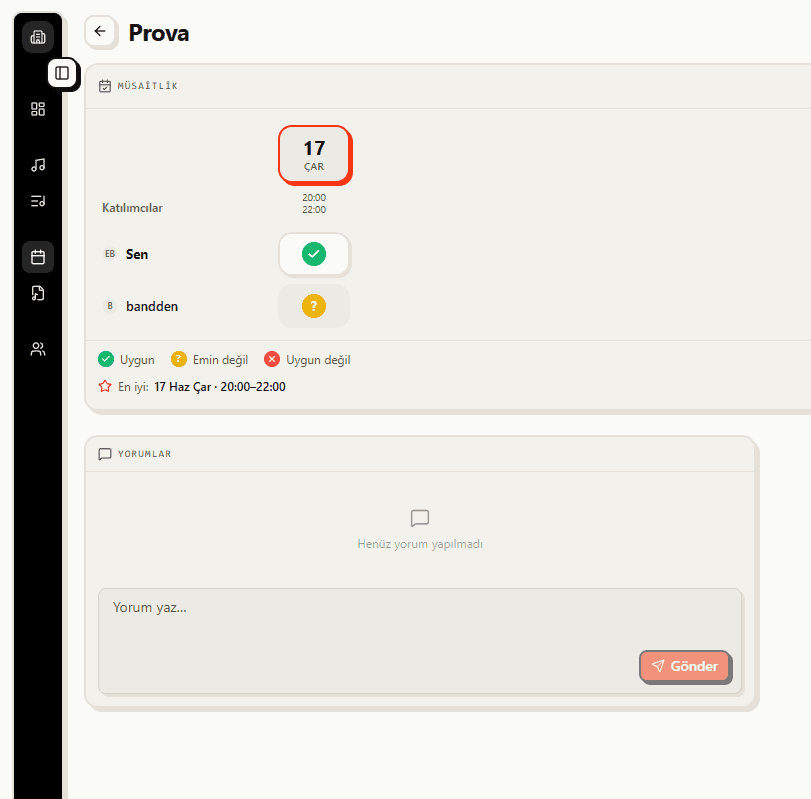
Your strings are tuned. The real trick is getting everyone to the same rehearsal: with BandUp's date poll the band votes on a day, and once it locks the rehearsal drops onto the shared calendar so nobody chases dates.

See the feature

No one asks what's next.

Set up your band, build your first setlist in two minutes.

Set up your stage